

Use the schematic, board files, and bill of materials together. The firmware targets the Stratolink PCB, not a generic RAK development board.
Parts and board
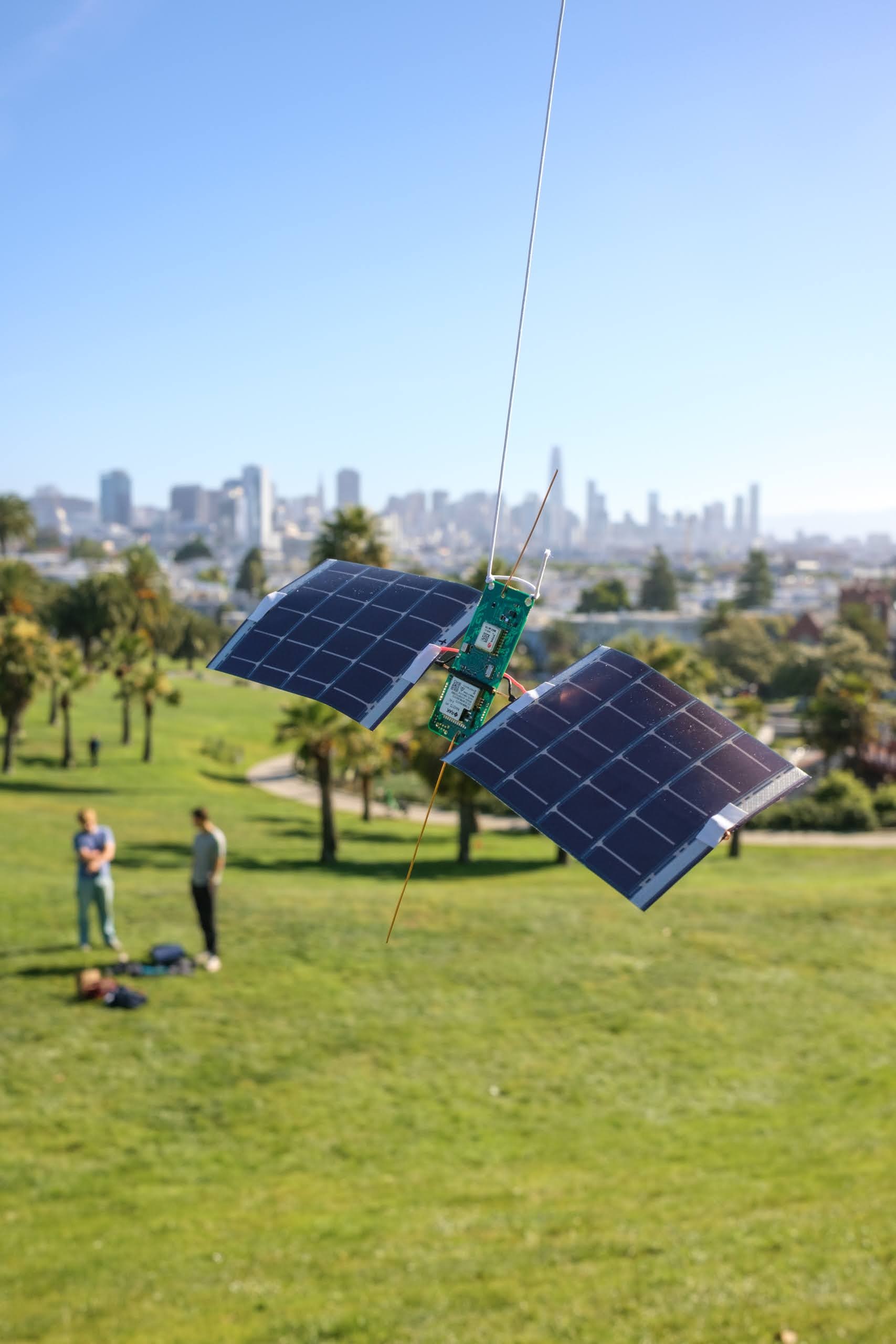
The hardware directory contains KiCad schematic and PCB files, manufacturing files, the assembly BOM, and component models. The main parts are:
| Part | Purpose |
|---|---|
| RAK3172-9-SM-NI | STM32WLE5 and 9xx MHz LoRa radio |
| u-blox MAX-M10S-00B | GNSS receiver |
| BQ25570 | Solar energy harvesting and power regulation |
| Two 4.8 V / 50 mA solar cells | Energy input |
| TMP117 and MS5611 | Temperature and pressure |
| LIS2DH12 | Acceleration and freefall interrupt |
| LTR-390UV-01 | UV and ambient light |
| T3902 | Acoustic event detection |
Check the exact board revision before ordering or populating parts. The current supercapacitor assembly still needs a reviewed balancing circuit and verified charge ceiling. It is not a finished drop-in flight build.
Energy-store qualification
The selected CAP-XX DMF4B5R5G105M3DTA0 is a 1 F, 5.5 V, two-cell part. The existing PCB leaves its midpoint unconnected. The original charge divider also needs a tolerance review against the capacitor rating. Verify the final circuit, both cell voltages, charge termination, leakage, and darkness endurance on the exact assembled board. Do not infer overnight runtime from capacitance alone.
Assemble the payload
This build starts with a v1 board assembled by JLCPCB. Fit the solar leads, antennas, supercapacitor, and solar panels by hand. The photos follow a 9.5 g payload assembled in October 2026.
Have fine insulated hookup wire, 22 AWG enamelled copper antenna wire, copper support wire, heat-shrink tubing, Kapton tape, solder, a sharp blade, cutters, pliers, tweezers, a multimeter, and a scale ready. Inspect the assembled PCB before starting. Keep it unpowered while soldering.
1. Add the solar leads
Cut four short lengths of fine insulated wire: two red positive leads and two black negative leads. About 10 mm is a starting estimate; leave enough reach for the joints shown below without putting tension on them. Strip and tin the ends.
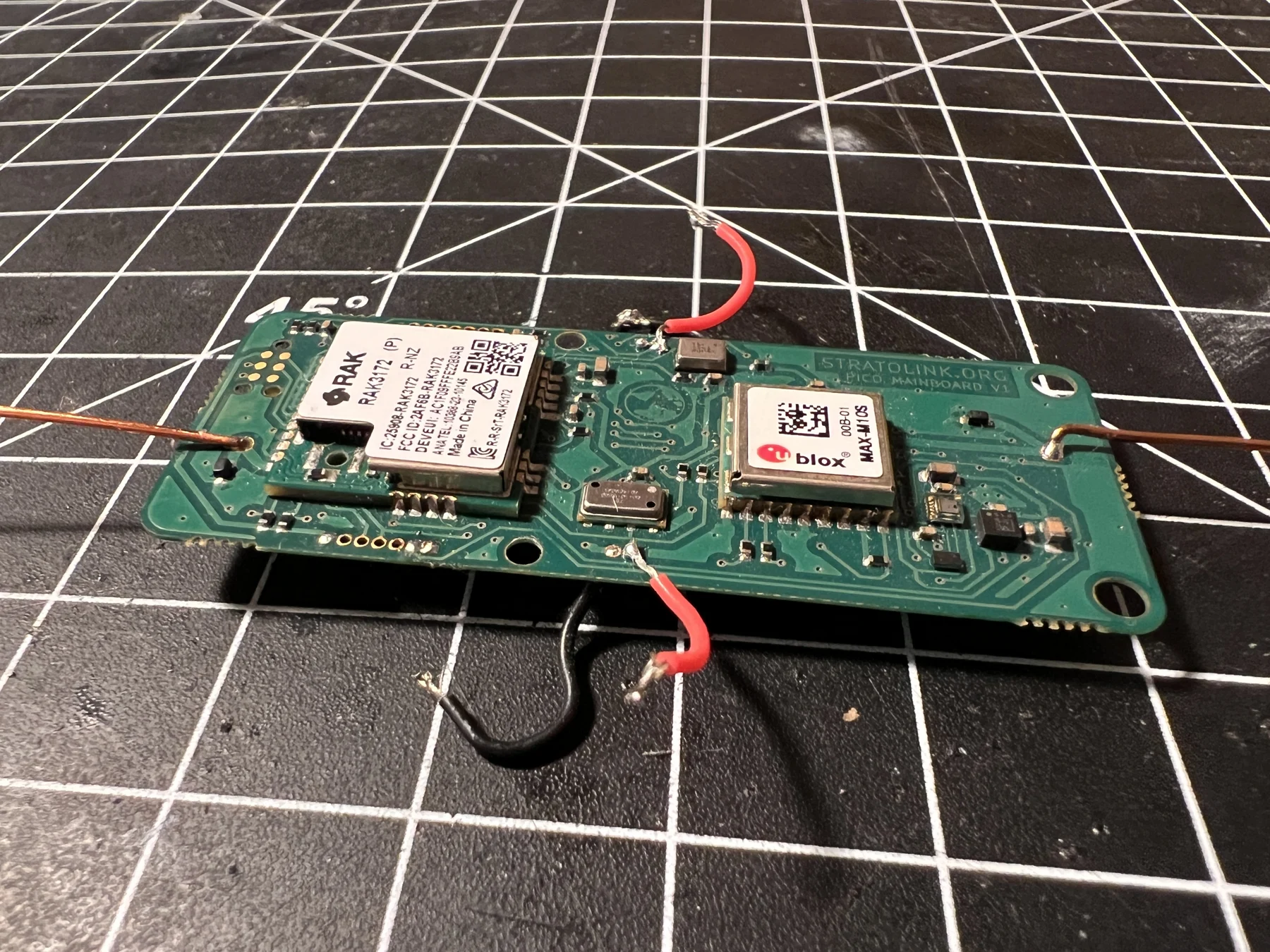
Solder one red lead to +SOLAR and one black lead to GND on each side of the board. Match the pad labels or schematic. Feed the wires through the holes where possible. If solder already fills the holes, the red lead can attach to the top-side pad and the black lead to its ground pad on the underside.
2. Cut and fit the antennas
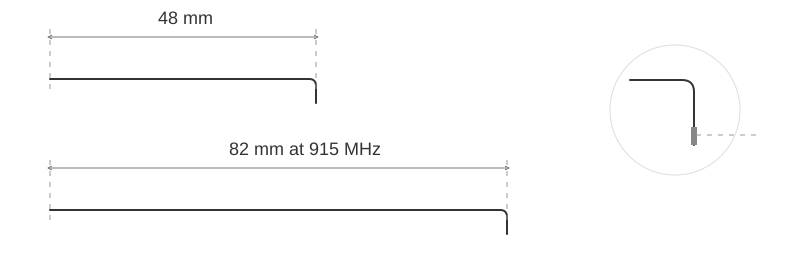
Use straight 22 AWG enamelled copper wire. The GPS antenna is the shorter one: start at 48 mm. For LoRa, start at 82 mm for 915 MHz, 86 mm for 868 MHz, or 83 mm for the 868–928 MHz compromise. Measure from the feed point to the tip.
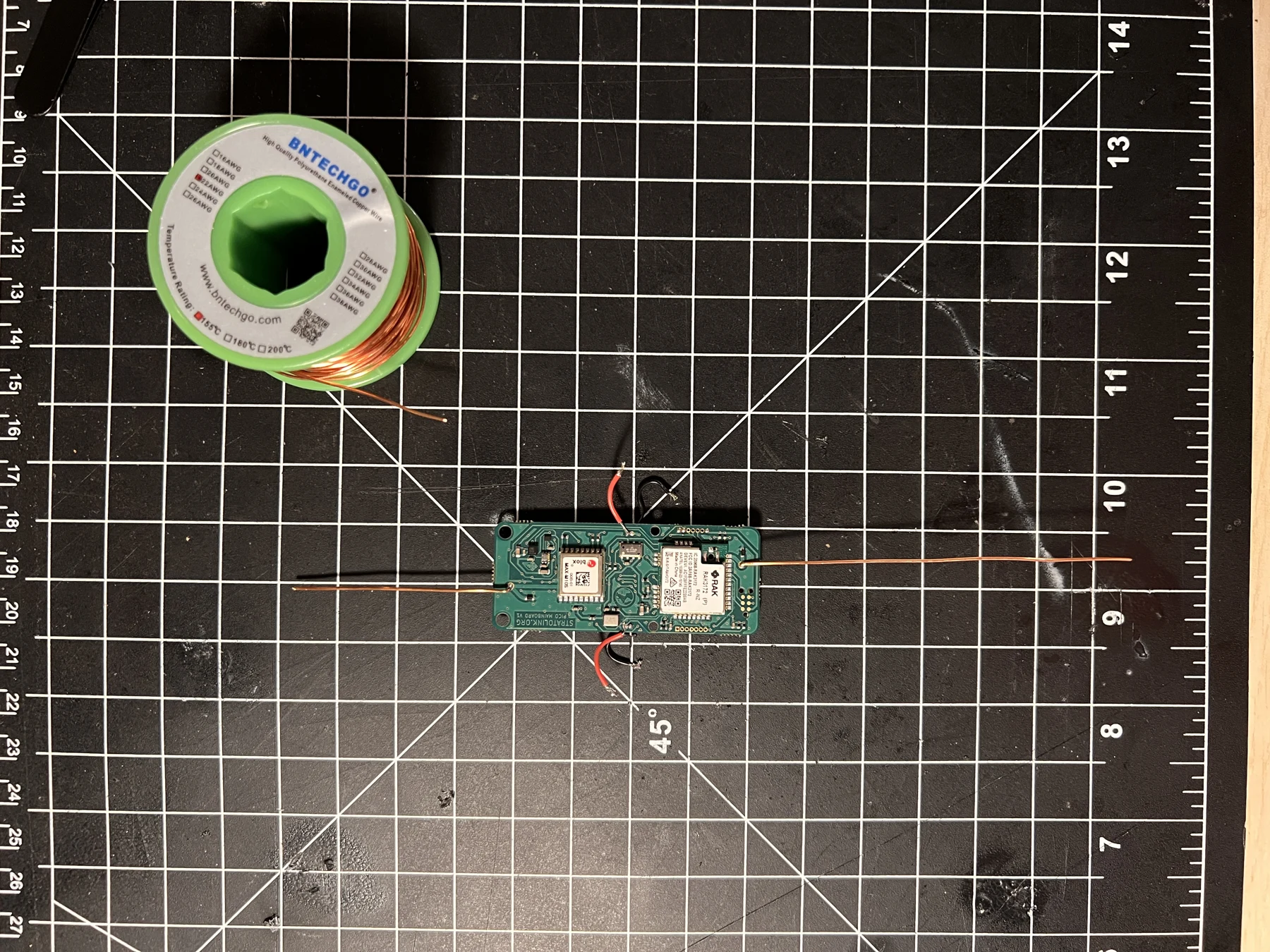
Make a small bend at the mounting end so it enters the antenna through-hole. Scrape the enamel from the contact tip all the way around, exposing clean copper, then tin it. Solder the short wire to AE2 / GPS and the long wire to AE1 / LoRa. Keep the radiating lengths straight. Check the finished antenna with the panels installed, as described under antennas and suspension.
3. Prepare the solar electrodes
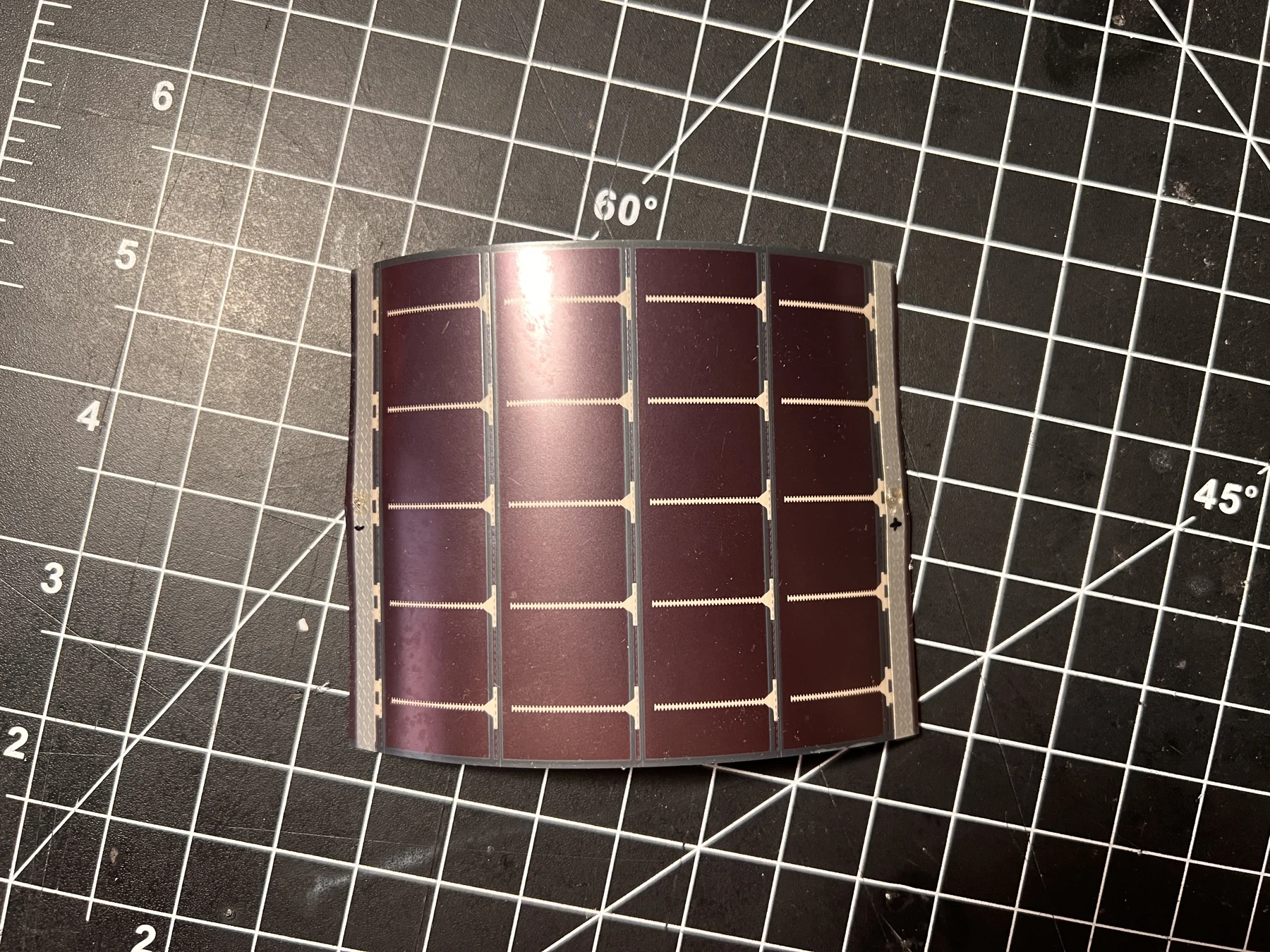
Each panel has a long electrode at either end. Expose a small area at the center of each electrode and tin it. On the panels shown here, brief sweeping passes with the soldering iron clear the coating. Do not leave the iron resting on the panel: the substrate is very thin. Use just enough solder to leave a small, reflective patch bonded to the electrode.
Illuminate the panel and measure DC voltage across the two prepared electrodes. A positive reading means the red meter probe is on the positive electrode. Mark both polarities. Repeat for the second panel.
4. Measure and straighten the support wire
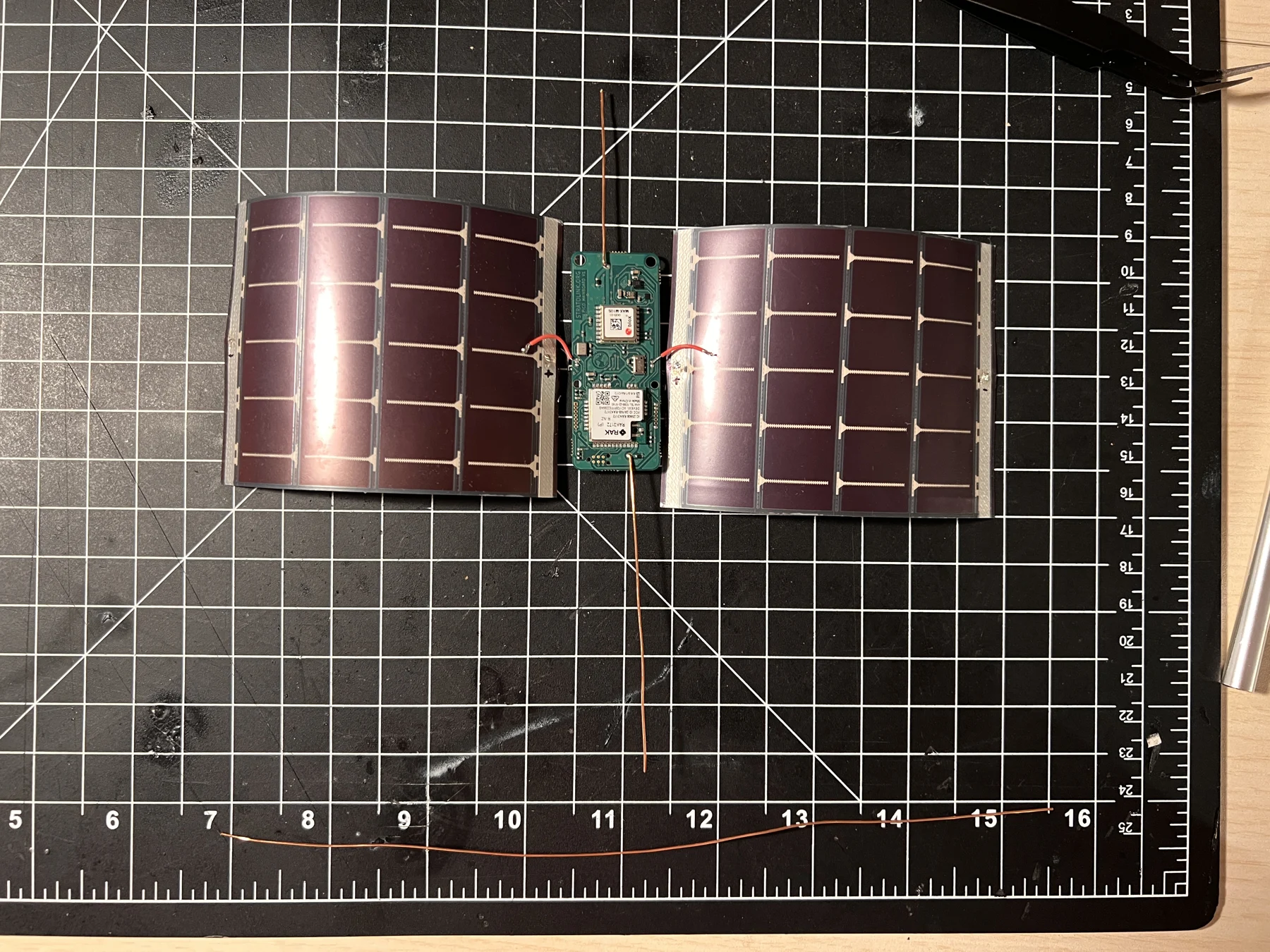
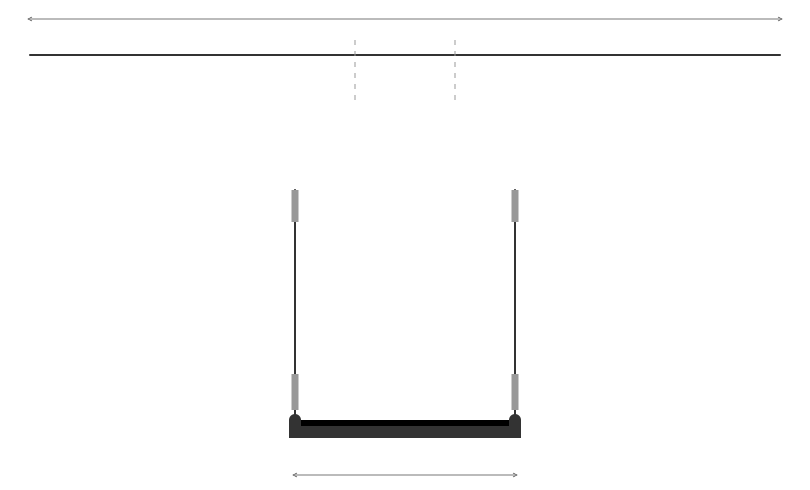
Lay the board with its GPS antenna pointing up and one panel on each side. Measure copper wire across the entire assembly, from the far edge of the left panel to the far edge of the right. Allow for the center bends and the short folds over both panel edges before cutting; use the physical layout rather than a fixed cut length.
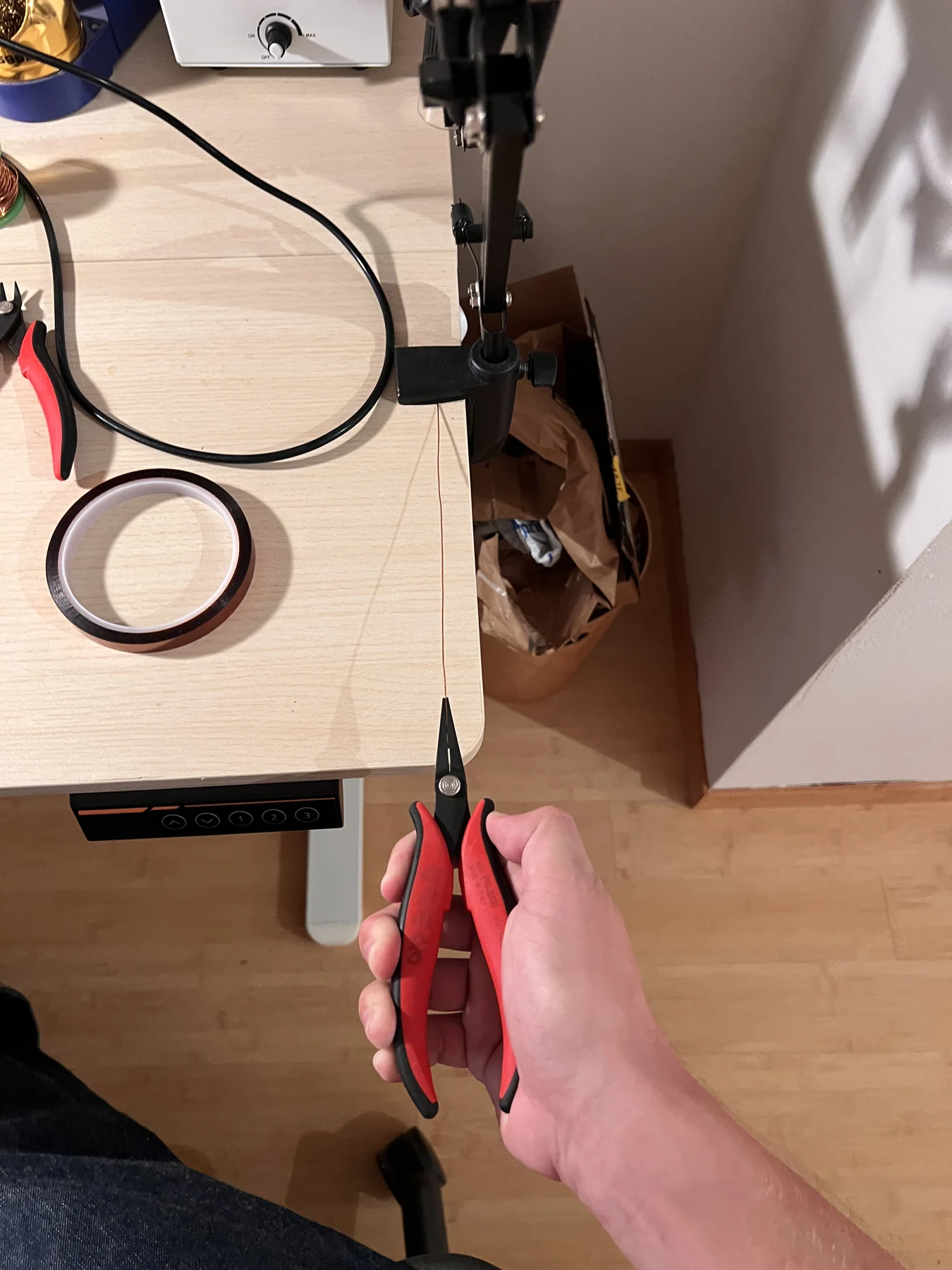
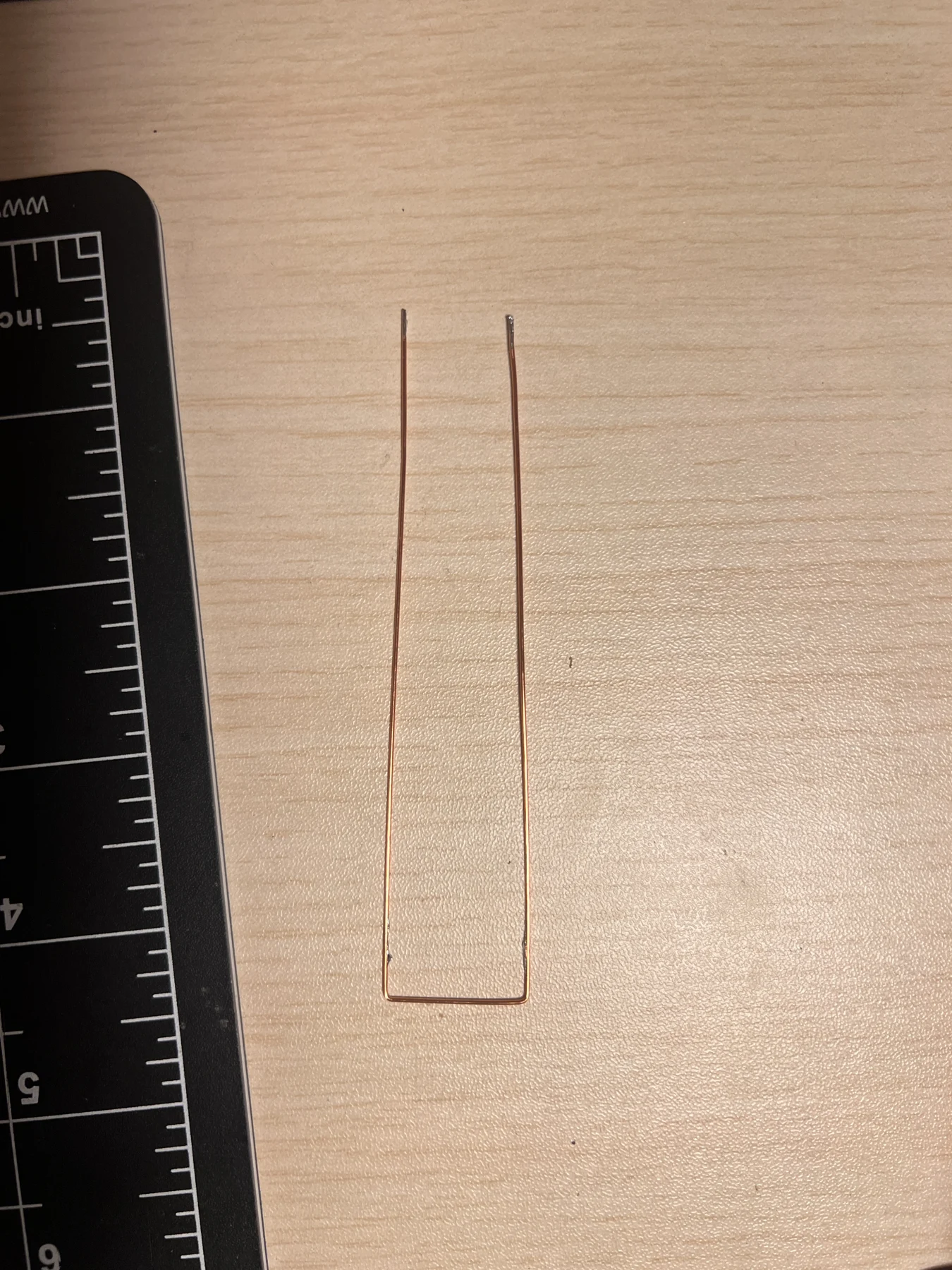
Clamp one end of the wire to the table. Grip the other end with pliers and pull it straight. Center it across the board and mark the two support-hole positions. The historical v1 PCB places those centers approximately 20.4 mm apart; match your actual board before bending.
5. Bend and insulate the support
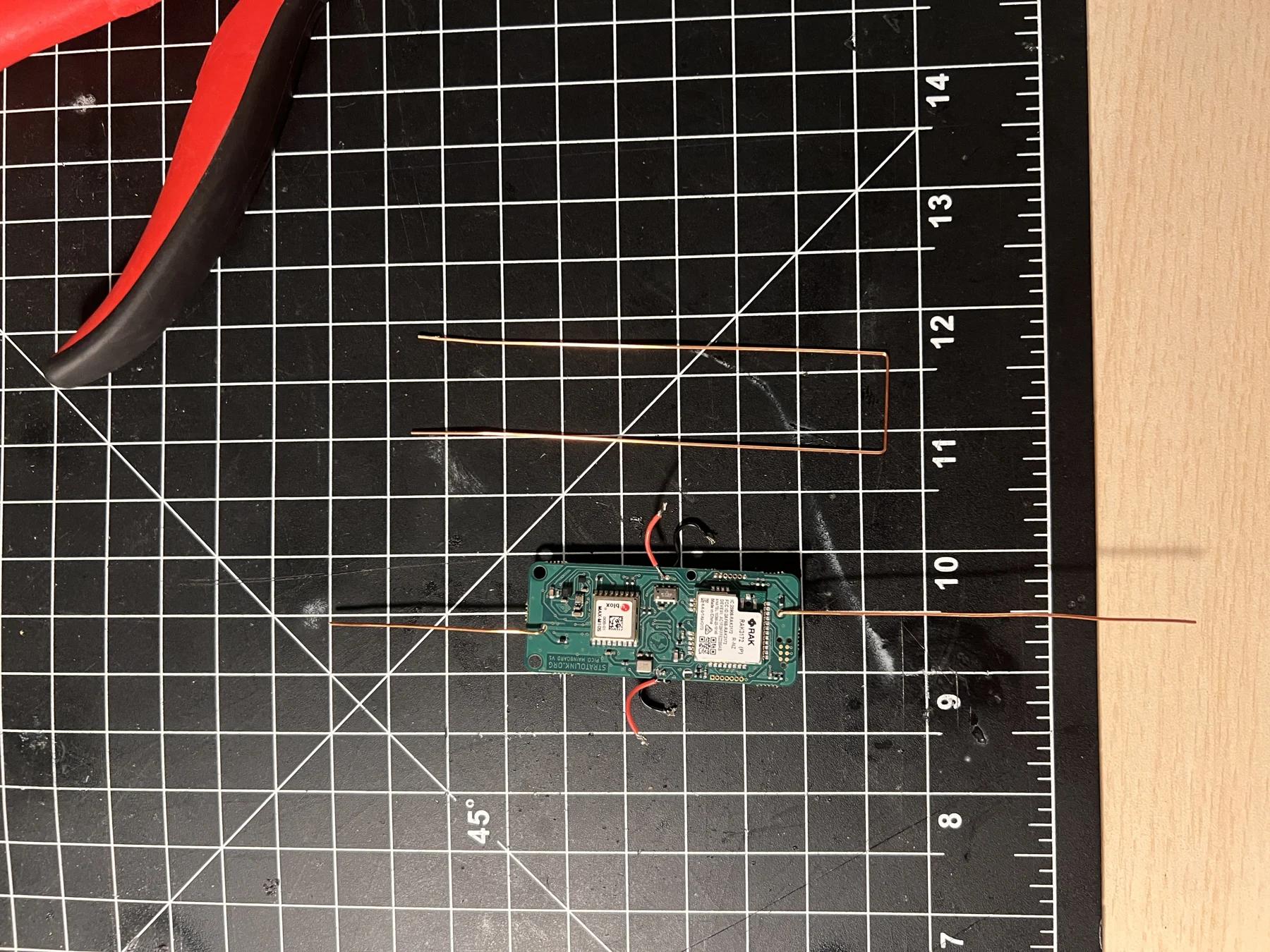
Make two 90° bends at the marks to form a U. Both long arms should be parallel and pass through the board’s two support holes without forcing them.
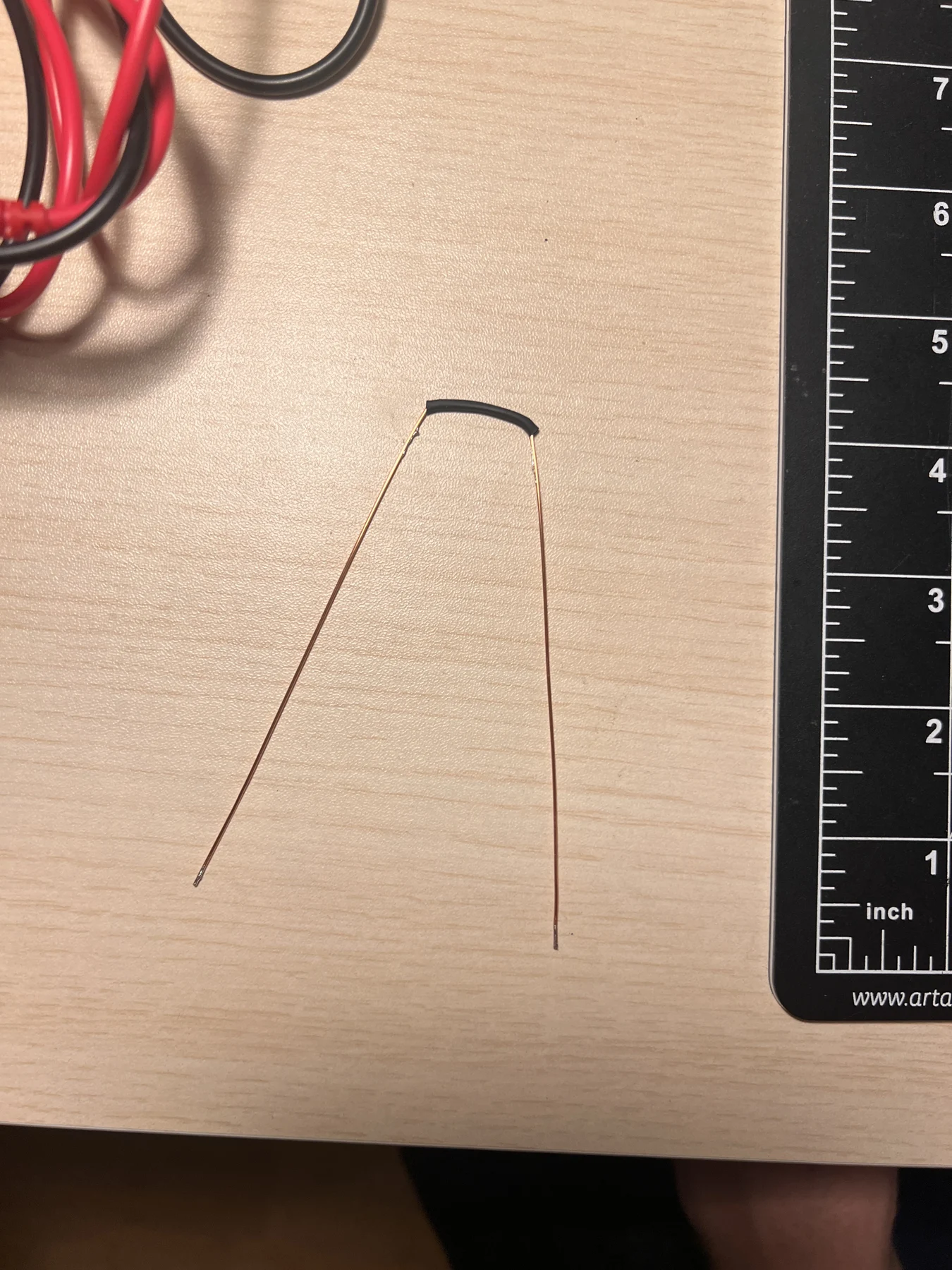
Scrape the enamel around both tips. Also expose the inside of the U’s base and the two areas on its arms where the black leads will attach. Tin the exposed copper. Slide heat-shrink over the entire bottom of the U, from one bend to the other, to insulate it from the board. It is fine to open the bend slightly to get the sleeve on, then restore its shape.
6. Install the supercapacitor
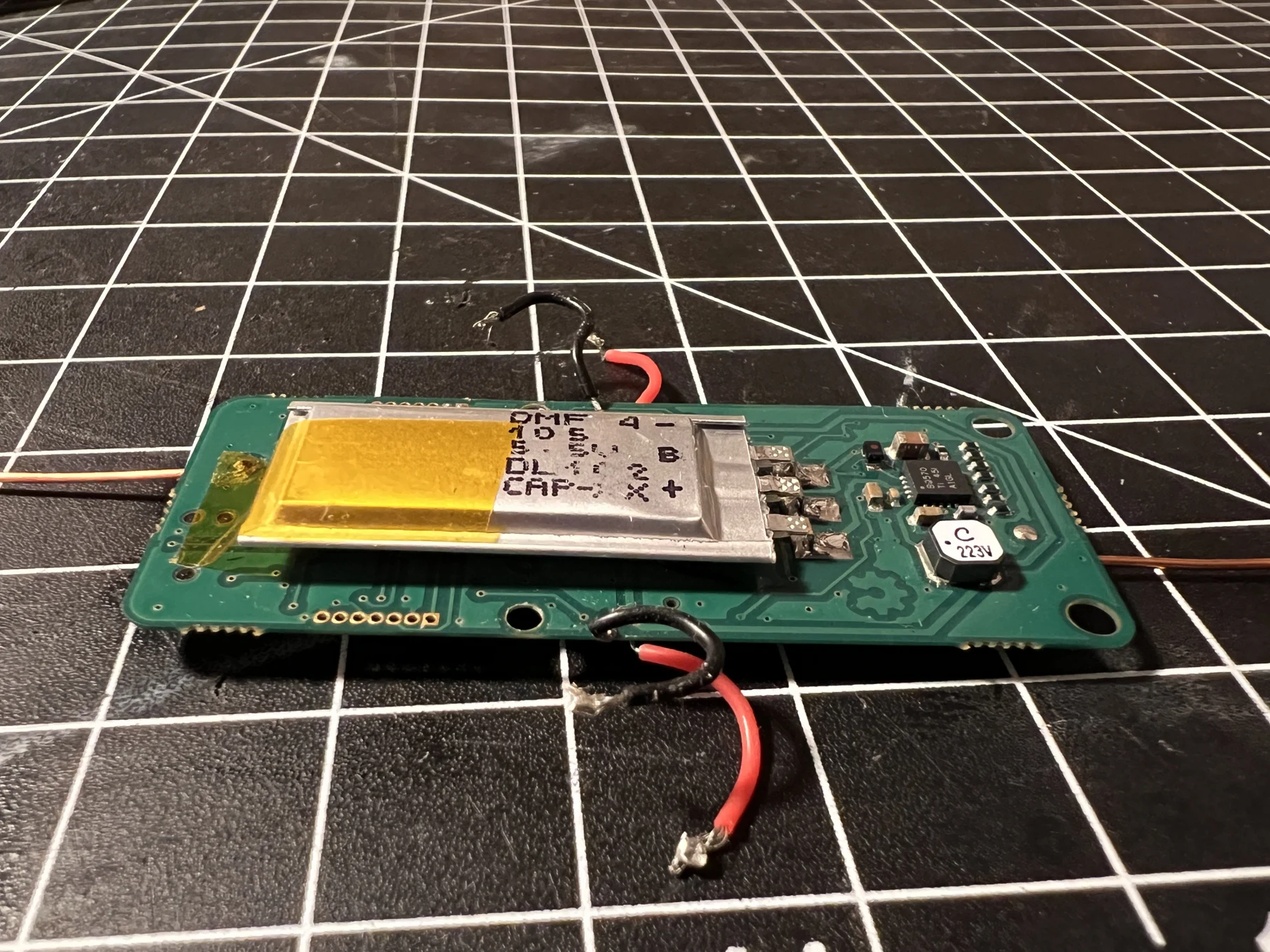
Before folding the support flat, turn the board over. Position the supercapacitor with its printed markings facing you, as shown below. Use a small piece of Kapton tape at its left edge to hold it in place, align its three terminals with the footprint, and solder the three pads without bridging them. Confirm polarity against the footprint and schematic.
The physical mounting does not change the v1 power circuit. Check the energy-store qualification for your board revision before charging it.
7. Fit the support and connect ground
Insert both ends of the U through the support holes. Bend the arms outward until the support lies flat and runs perpendicular to the long axis of the board. The heat-shrink-covered base stays on the top face of the PCB; the two arms emerge from underneath.
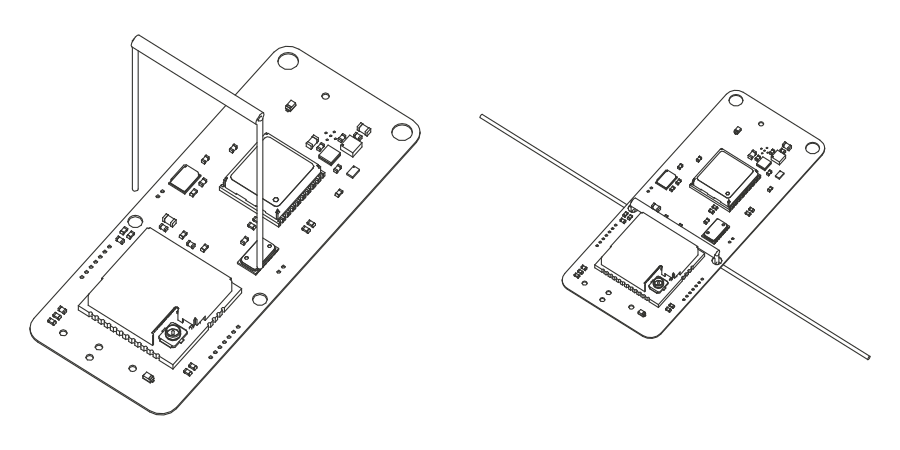
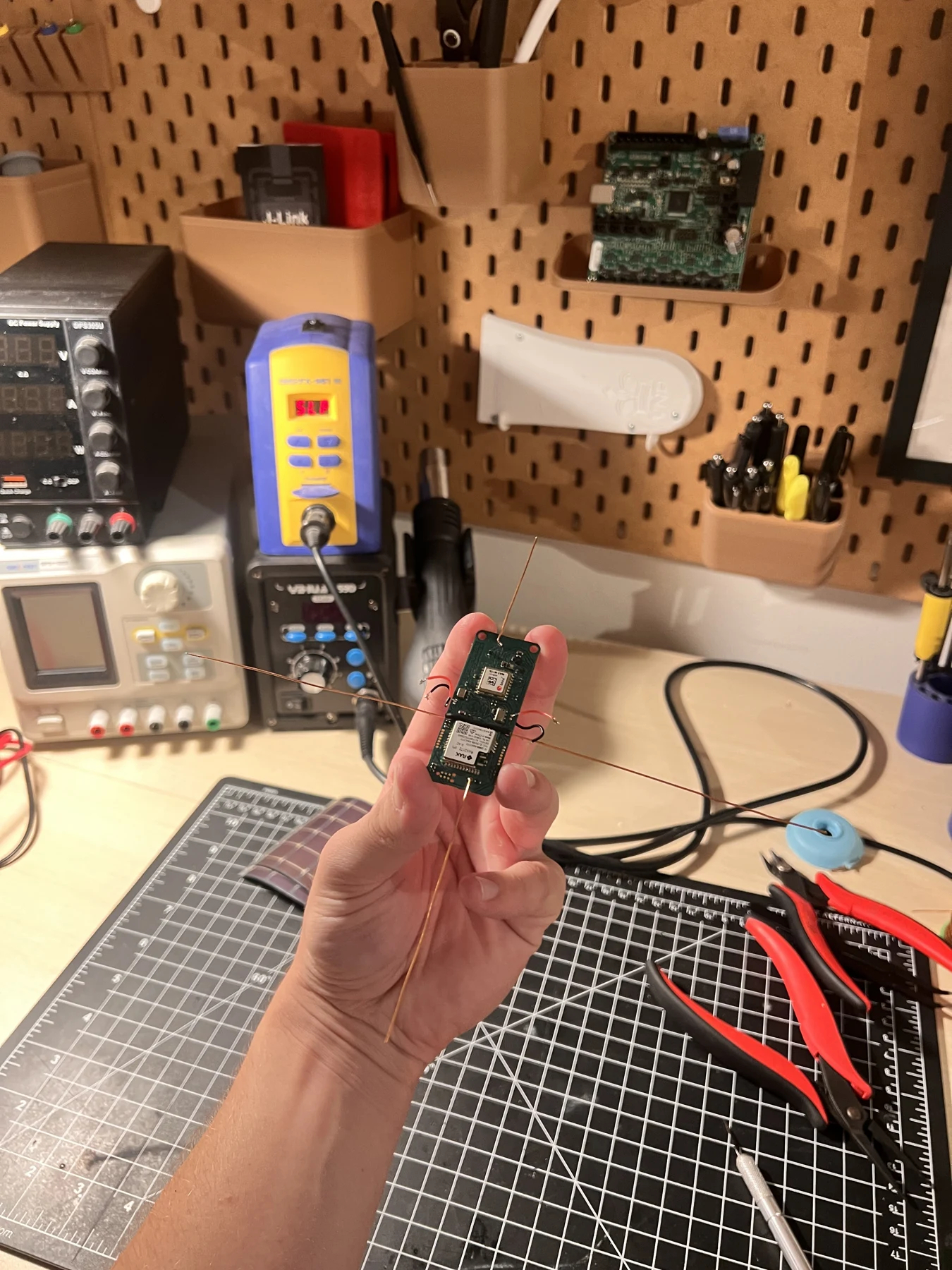
Using tweezers, place each black lead against its prepared, tinned section of the support wire and solder it. The copper support is now also the negative connection for both panels.
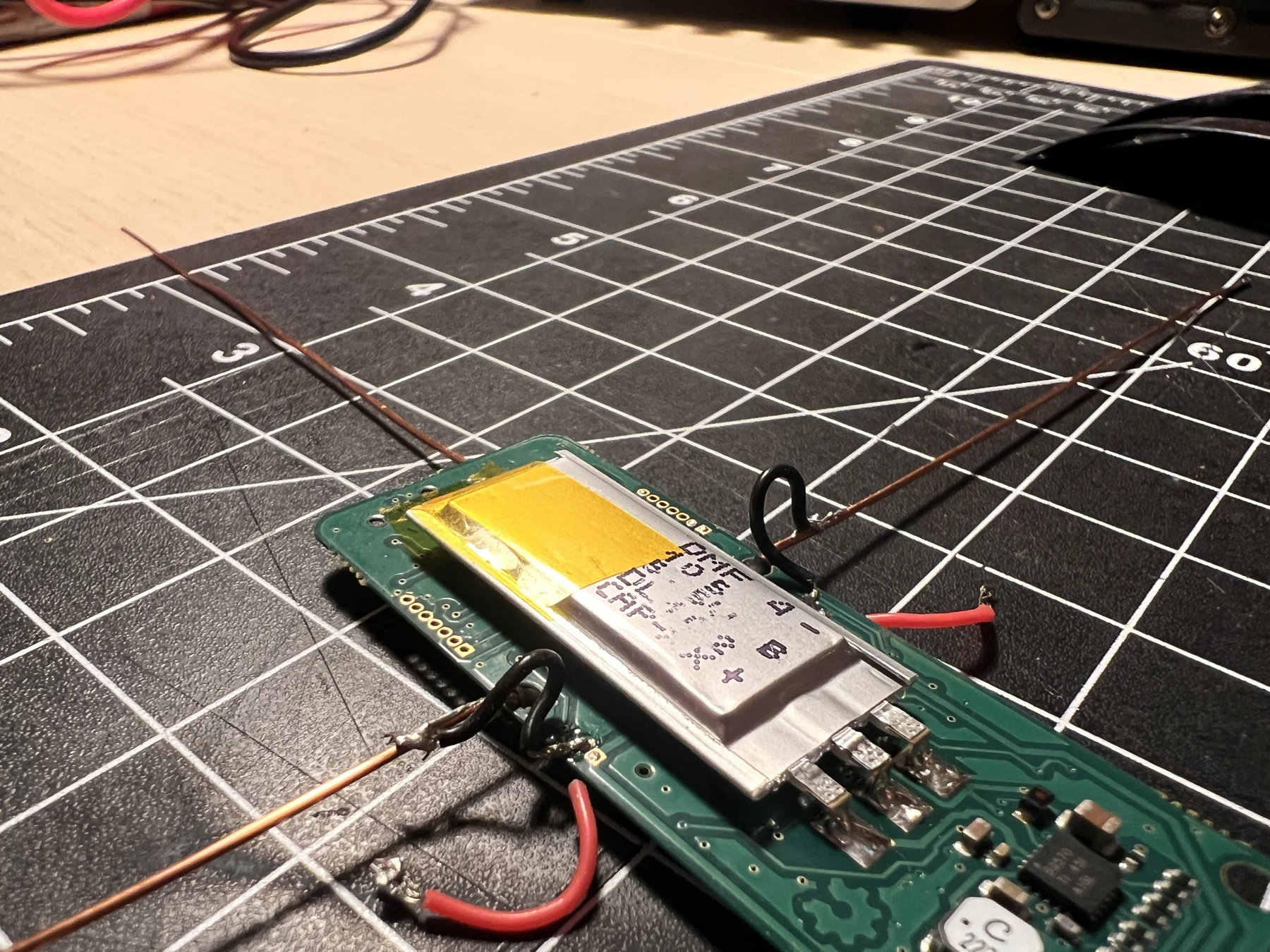
Check continuity from each black lead to the corresponding outer end of the copper support. Once both joints are sound, cover them with short heat-shrink sleeves. Position the sleeves before making any joint that would prevent them sliding into place. Check that the support has no unintended contact with other board pads.
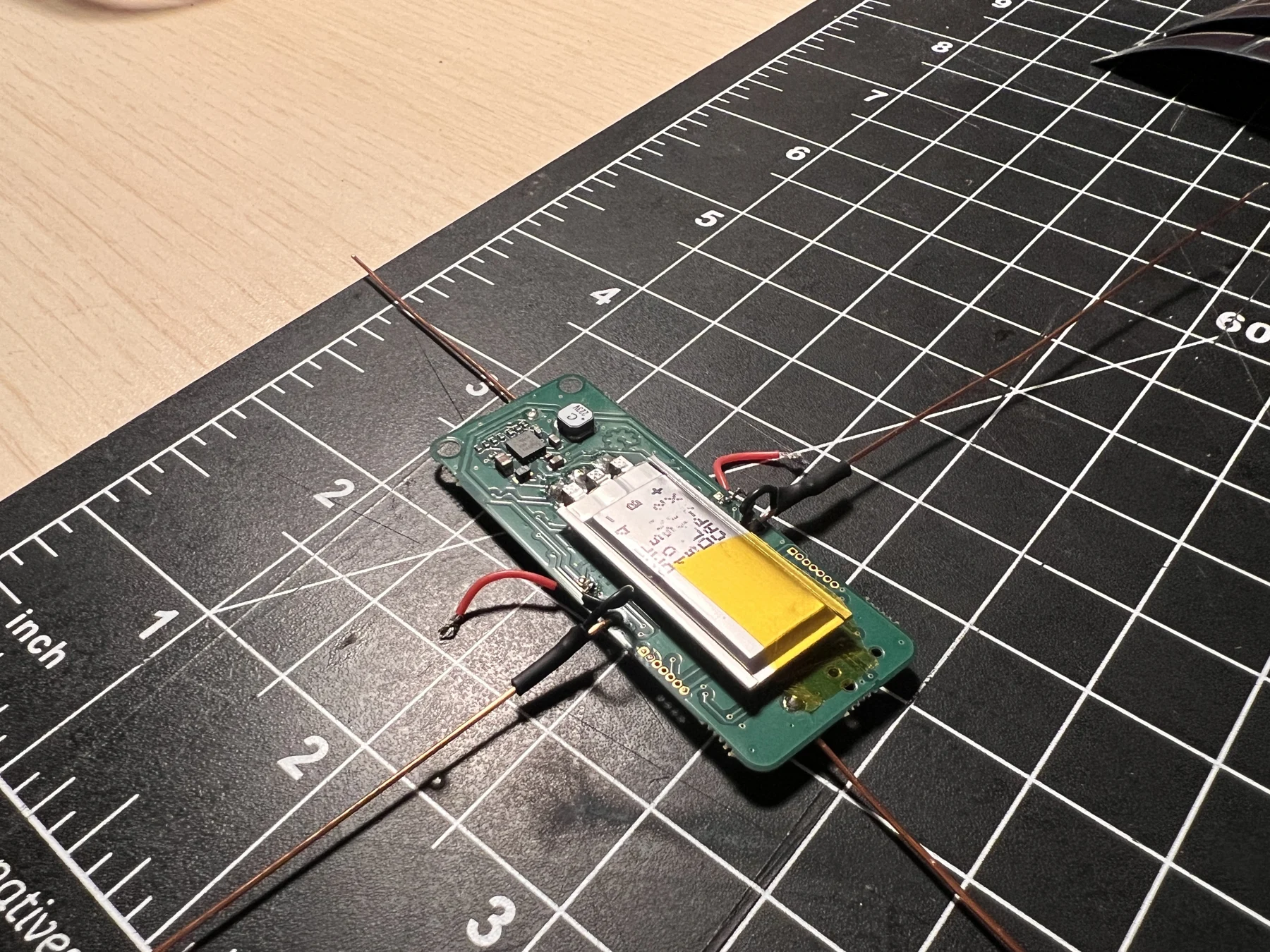
8. Position the panels
Keep the board upside down and place the panels beneath the copper support. On both sides, the positive electrode goes nearest the board and the negative electrode goes at the outer edge. Keep the two panels at the same height and leave matching gaps beside the board.
Use small pieces of Kapton tape to secure the panels to the support wire. The drawing shows the PCB underside, with the tape crossing over the wire. Check the marked polarity again before soldering.
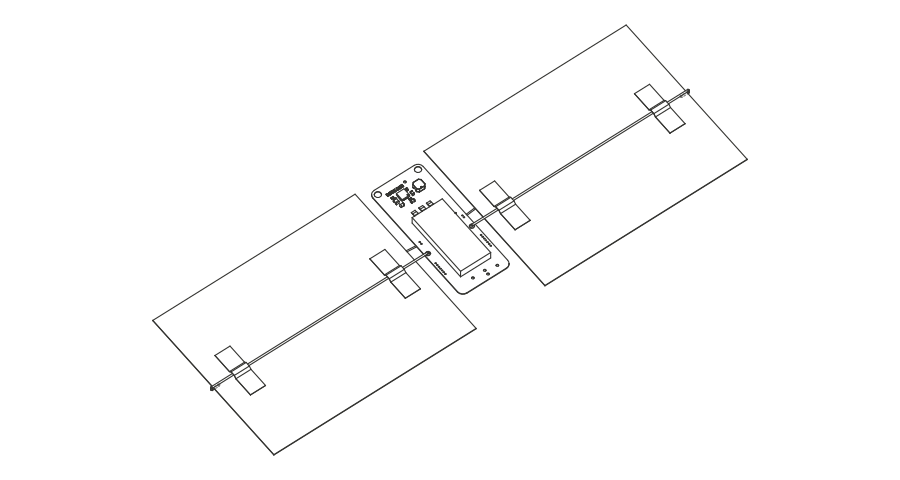
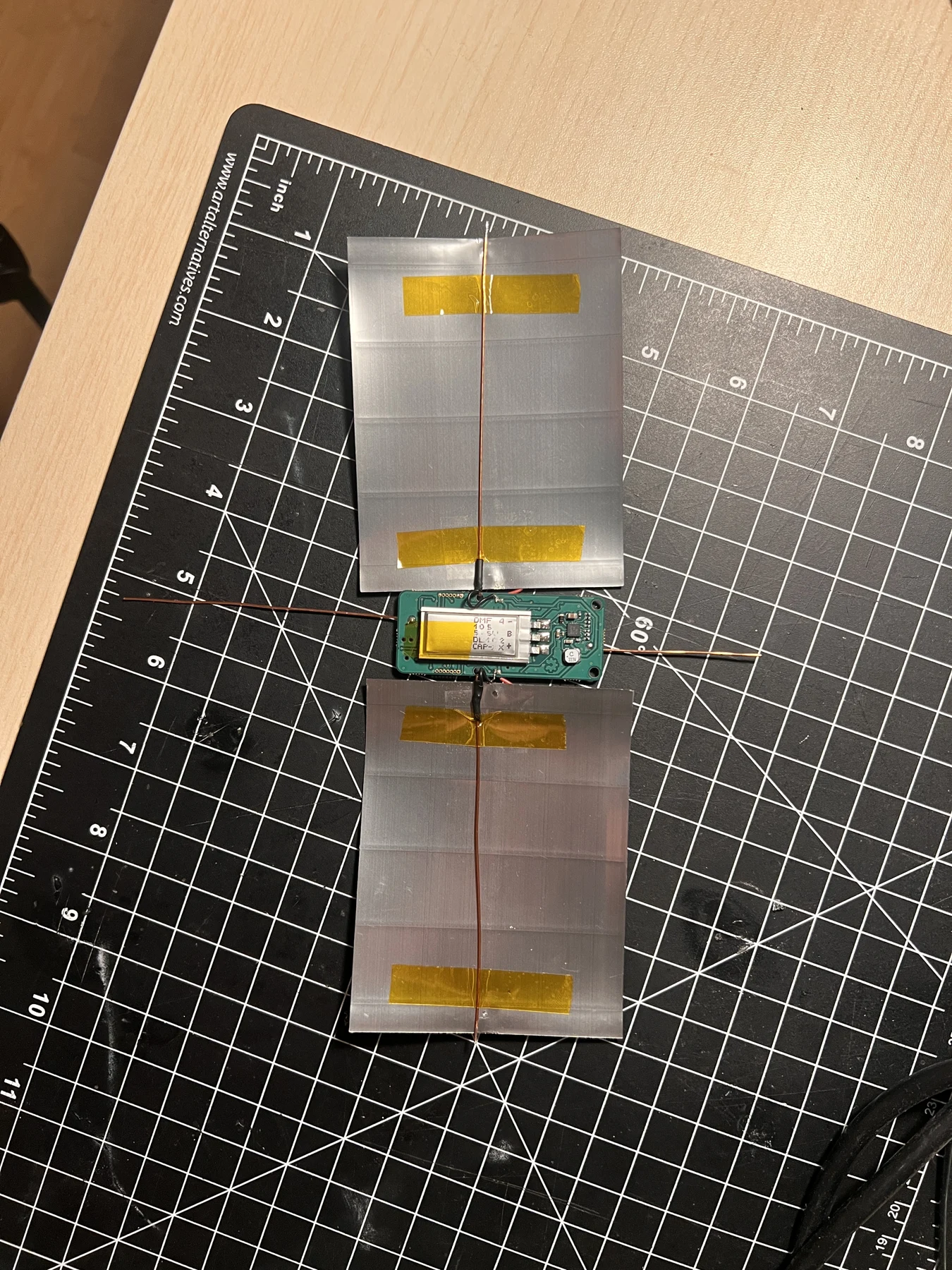
9. Solder the panel connections
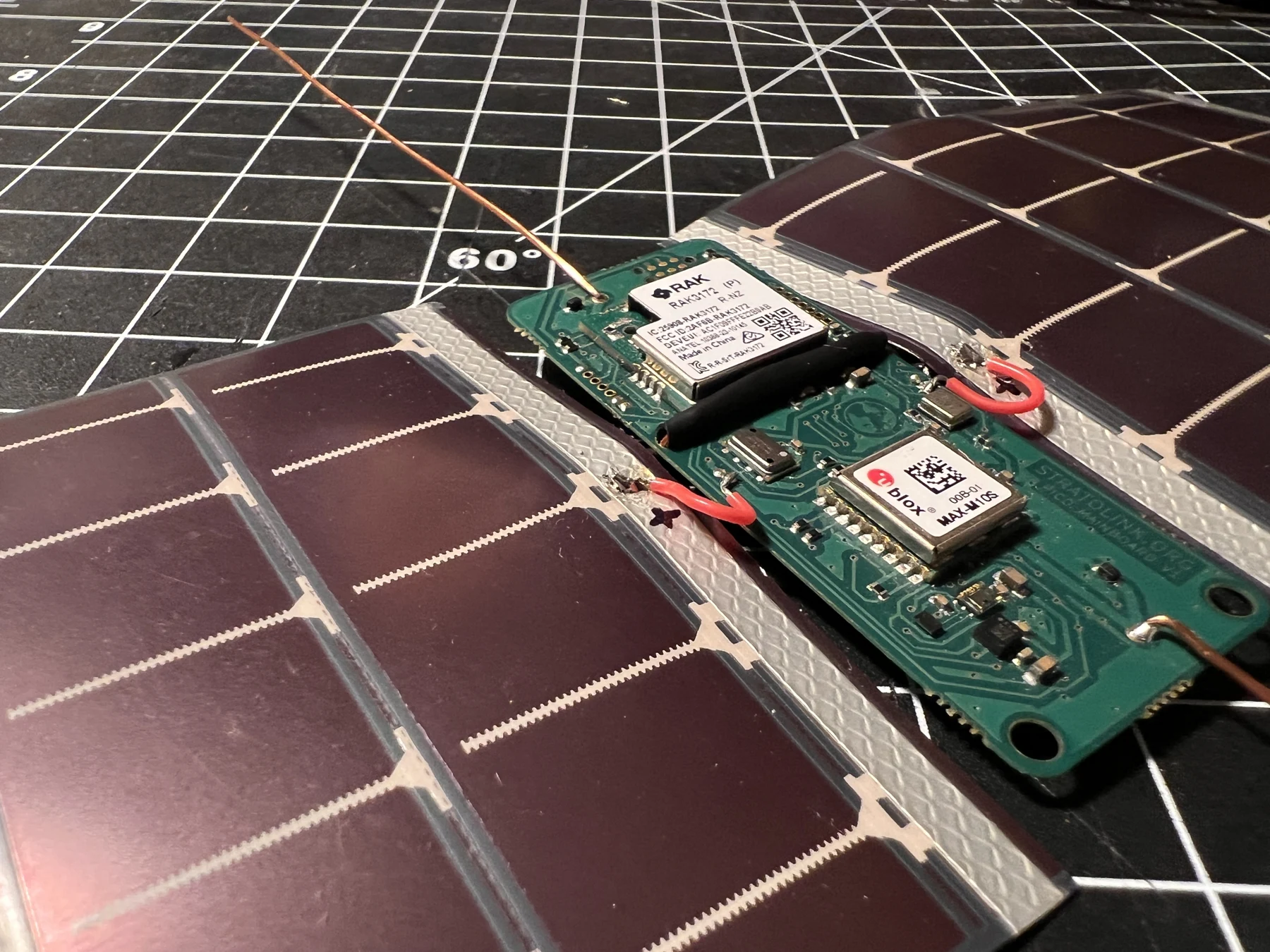
Bend each support tip up and over the outer edge of its panel so it rests on the prepared negative electrode. Solder the tip to the electrode with a brief contact, supporting the panel so the joint is not under tension.
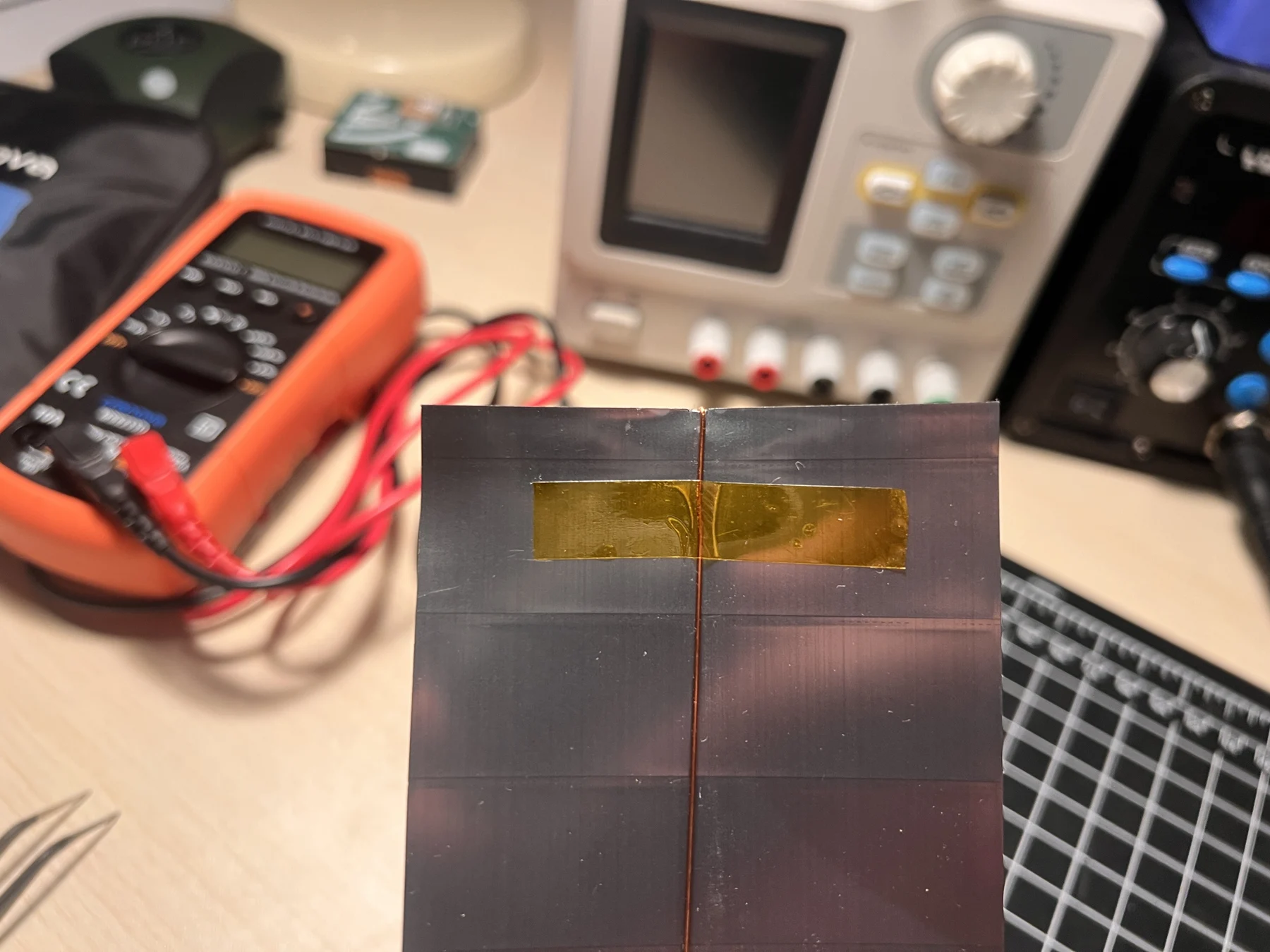
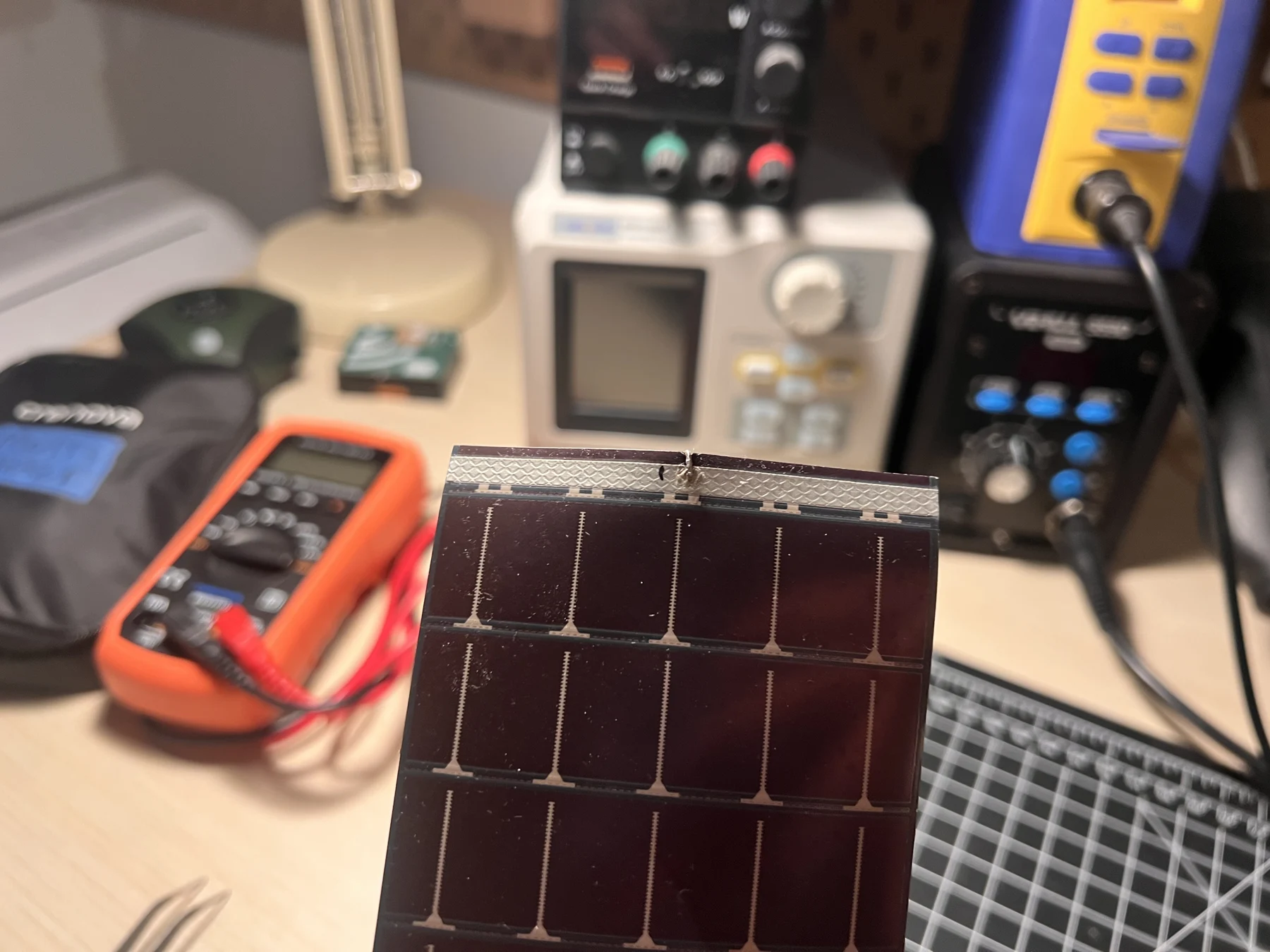
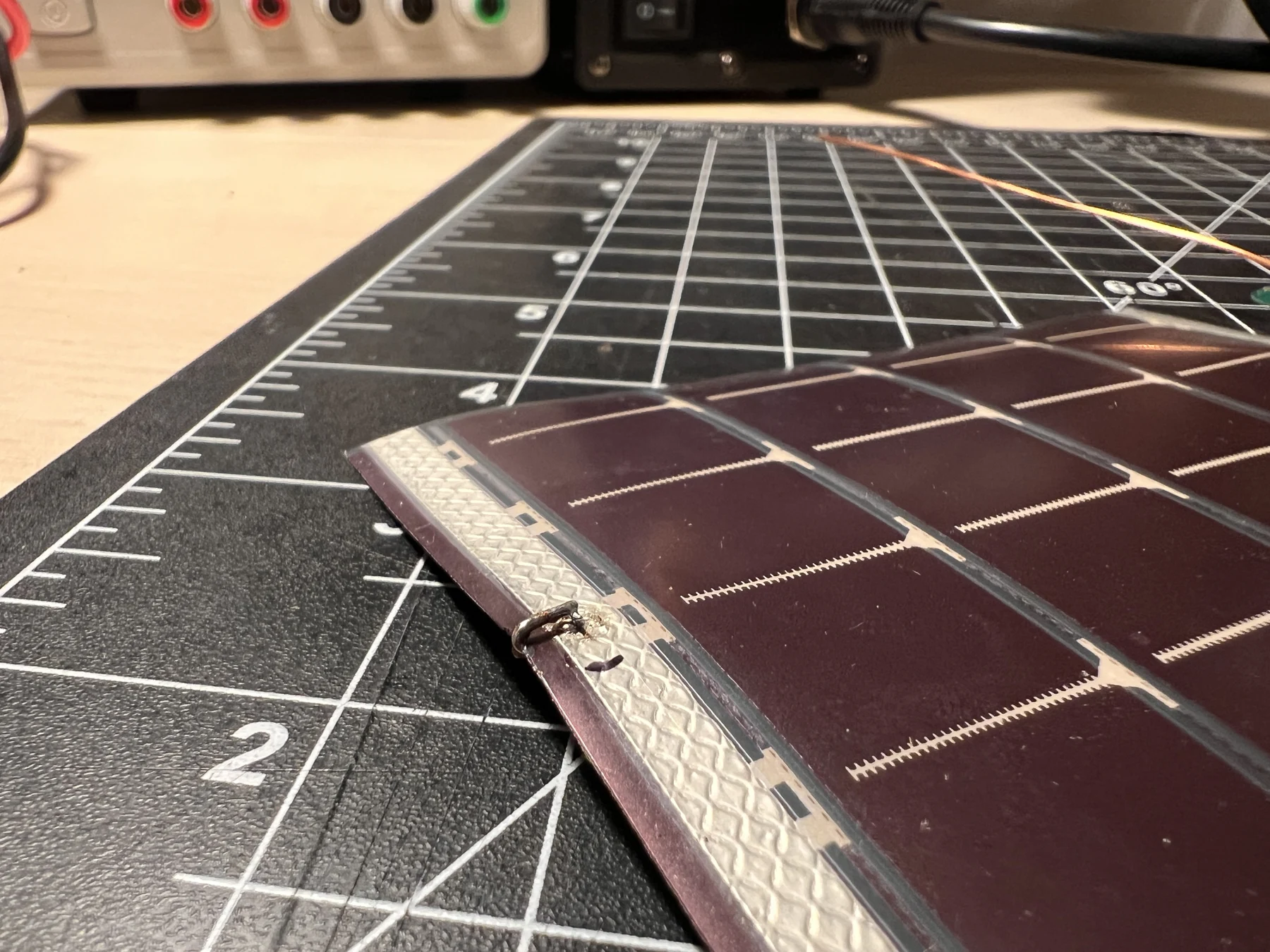
Solder each red lead to the inner, positive electrode of its panel. Repeat on the other side. Inspect the joints and check continuity to the correct board pads before covering the exposed connections with small pieces of Kapton tape.
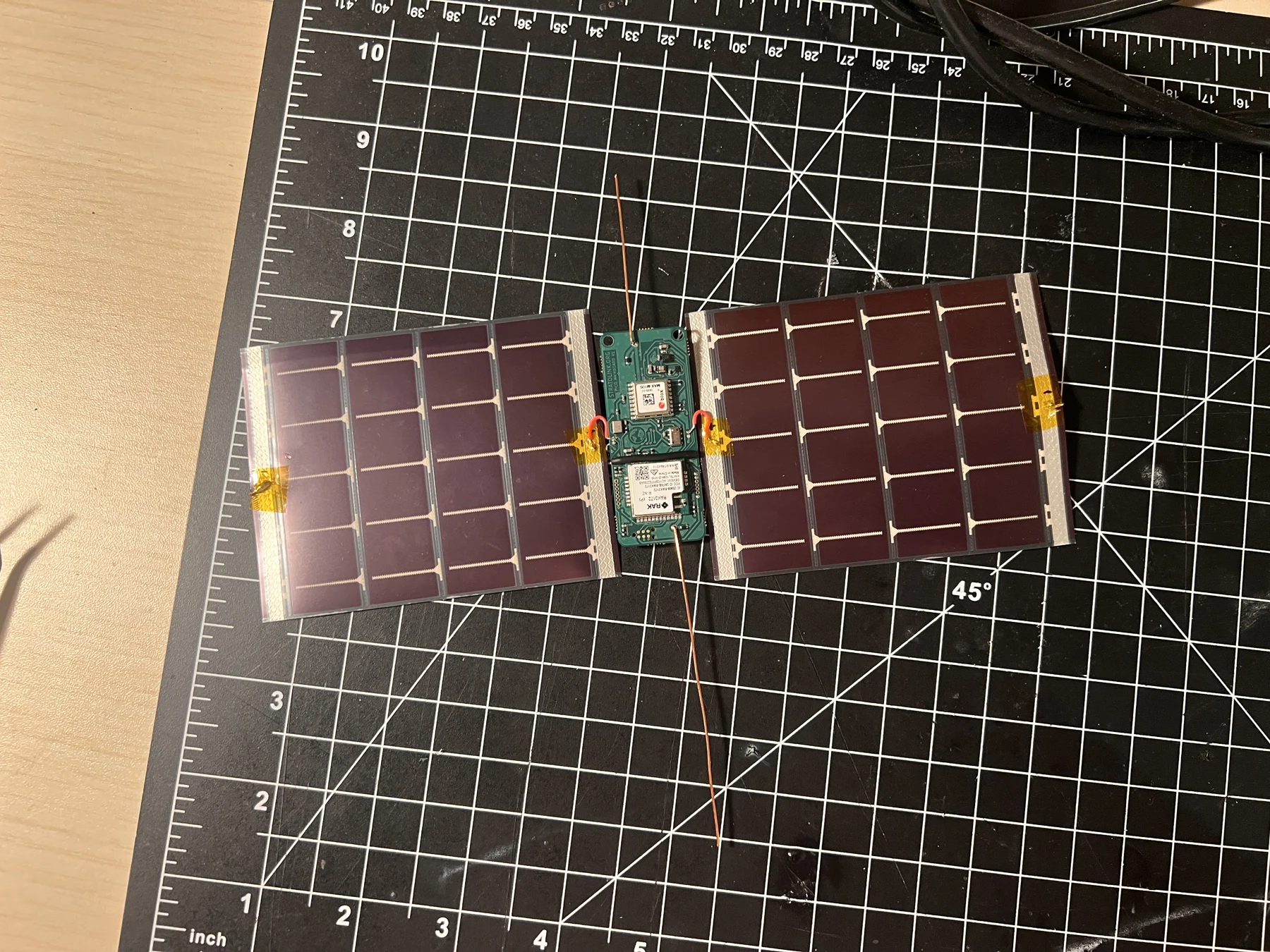
10. Check and weigh the assembly
Inspect both sides for loose joints, solder bridges, exposed wire touching components, and panel edges under strain. Verify panel polarity and check for an unintended short between +SOLAR and GND before the first powered test.
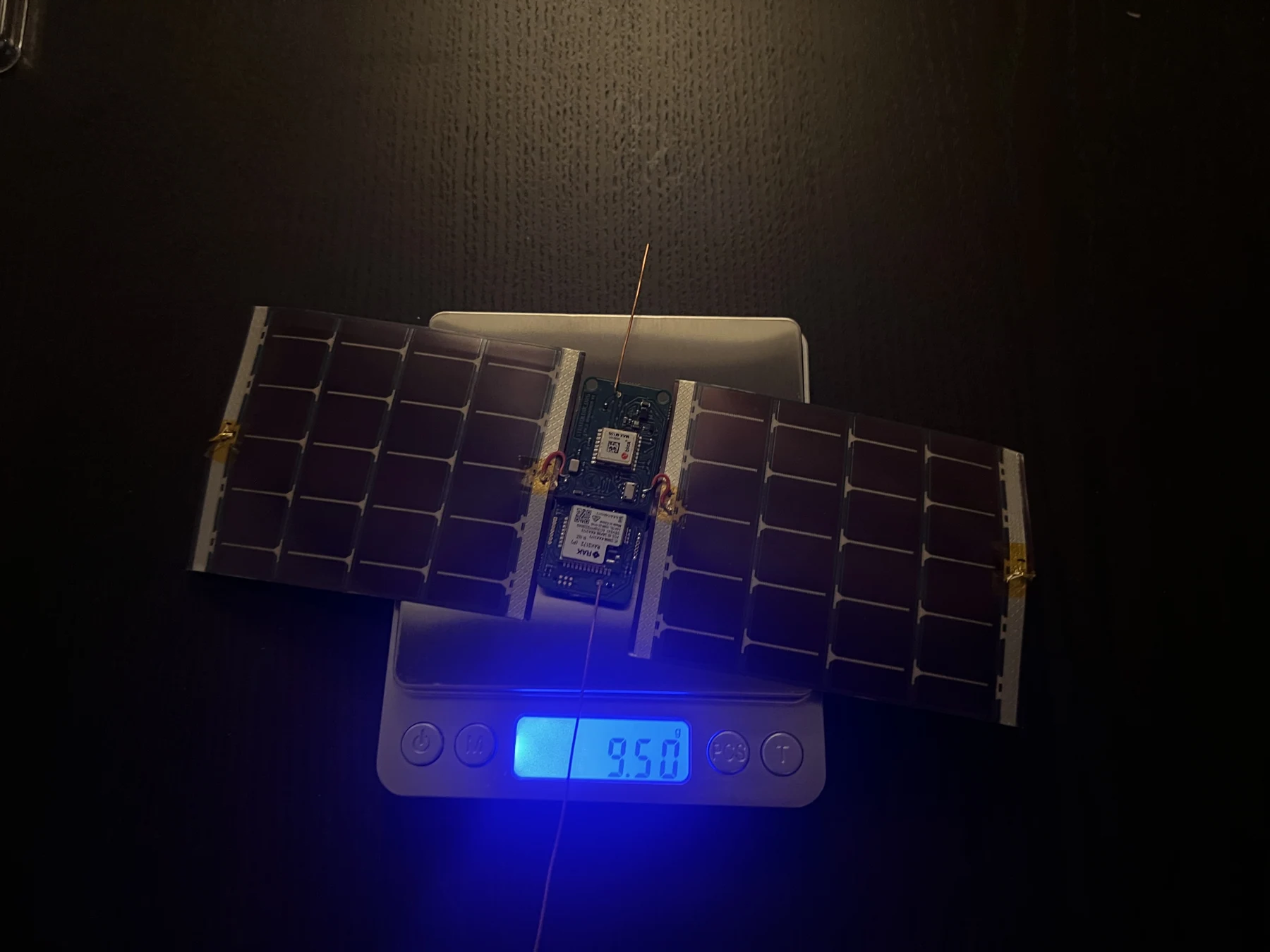
Weigh the completed payload and record its mass. This one measured 9.5 g. Use your own measured mass in the float calculator, accounting for the suspension line and anything else the balloon will carry. Continue with firmware setup and telemetry checks before preparing for launch.
Board connections
| Connection | STM32 pin or bus |
|---|---|
| GNSS UART TX / RX | PB6 / PB7, 9600 baud |
| GNSS reset | PA0, active low |
| I²C SDA / SCL | PA11 / PA12 |
| Accelerometer interrupt | PA8 |
| SWDIO / SWCLK | PA13 / PA14 |
The programming connector is a six-pin Tag-Connect SWD footprint. Follow the schematic for connector orientation, ground, target reference voltage, and reset. The programmer’s USB cable does not make the bare payload a USB device.

Antennas and suspension
Use enamelled copper wire for the two separate antennas. AE1 is the LoRa feed; AE2 is the GPS feed. Remove the enamel where each wire is soldered, and check the joint before powering a transmitter.
The firmware pin reference lists these quarter-wave starting lengths. Measure from the feed point. The panels, wiring, coating and final shape affect the match, so check the assembled payload before making a final cut.
| Antenna | Starting length |
|---|---|
| GPS L1, 1575.42 MHz | 48 mm |
| LoRa, 915 MHz | 82 mm |
| LoRa, 868 MHz | 86 mm |
| LoRa, 868 to 928 MHz compromise | 83 mm |
Keep the LoRa wire straight and pointing down when the payload hangs. Use a centered attachment or a two-leg bridle to keep the board upright. Check that the suspension cannot snag either antenna. The balloon preparation guide records the cord used in that procedure. A small lean is acceptable; a secure attachment matters more than precise leveling.
Leave the solar panels and their leads in the flight position when checking the LoRa antenna. Sweep the assembled antenna with a calibrated VNA across the bands you intend to use. A matched wire does not extend the supported bands of the radio module.
What the mounting simulation found
We modeled the downward monopole, PCB and solar panels in NEC2 at 904.5 MHz. The model was rotated through a full spin and weighted by the reception angles from Stratolink-3's fresh GPS fixes at float.
Changing the hang angle from 20° to vertical increased modeled effective gain by 0.08 dB. The model supports a centered hang, but it does not justify adding weight to hold an exact angle.
The flight sample contains only 20 geolocated receptions above 8 km with fresh GPS fixes. The panels are simplified conductive surfaces, and the model assumes a uniform spin. An installed-antenna sweep and a suspension test are still needed for each final assembly. The separate pendulum study proposes comparing low-stretch line with elastic cord; it does not establish a tested replacement for the documented attachment.
Wire length, temperature and panel wiring
A quarter wavelength is a starting estimate:
Here, c is the speed of light and f is the operating frequency. Coating and nearby conductors change the required physical length. Tune the actual assembly instead of applying a fixed percentage correction for enamel.
The thermal model shortened a copper element for a temperature change from 20 °C to -50 °C. It predicted less than 1 MHz of resonance shift. That result concerns wire contraction only; it does not qualify the radio, power supply or complete payload for cold operation.
The panel-wiring simulation also rejected an early assumption that moving the ground connections closer to the board would improve the antenna. Changing the panel connections changed the feed impedance. Keep the documented assembly together, then measure it before changing the wiring or wire length.
Build and flash
Install PlatformIO and SEGGER’s J-Link tools, then obtain the matching source revision. The public repository can be cloned with:
git clone https://github.com/Stratolink-hq/Stratolink.git
cd Stratolink/firmware
cp include/secrets.h.example include/secrets.h
For the current development board, first obtain its matching source as described in Before you start. From that revision’s firmware directory, fill the secrets file using your TTN credentials. Record the revision and build the normal flight environment:
git rev-parse HEAD
pio run -e stratolink
The current development toolchain is pinned to STM32 platform 19.6.0, SparkFun u-blox GNSS 3.1.13, STM32duino Low Power 1.5.0, STM32duino RTC 1.9.0, and RadioLib 7.6.0. Use the environment supplied with the firmware revision you are validating.
When re-flashing a device that has already joined TTN, preserve its stored DevNonce journal. Do not mass-erase the device or reset TTN nonce history to force a new join.
Connect J-Link over SWD to the powered target. Check the target voltage and common ground, then upload:
pio run -e stratolink --target uploadKeep the generated .pio/build/stratolink/firmware.elf and firmware.bin with the commit identifier. Re-test the exact uploaded image after removing the debugger.
Flight and diagnostic builds
Use stratolink for the flight candidate. Environments such as stratolink_soak, stratolink_profile, and gps_diag are bench tools. They change regional seeding, solar gates, peripheral activity, or the normal loop. A successful diagnostic does not qualify the flight binary.
The release build does not provide a general USB serial console. J-Link and the purpose-built diagnostics provide the useful state. Avoid expecting pio device monitor to display a flight log from the bare board.
Verify the hardware
- Compare reported storage and solar voltage with a meter under the same conditions.
- Check each sensor while changing a known input: cover the light sensor, warm the temperature sensor gently, and tilt the payload.
- Obtain a fresh outdoor GPS fix. Move the payload and confirm the reported position changes.
- Verify TTN receives a valid packet and that it reaches the dashboard.
- Measure sleep current with the debugger detached. Record a complete wake, GPS, transmit, and sleep cycle.
- Test the completed power assembly through darkness and recharge, including the lowest expected voltage and temperature conditions.
For launch preparation, continue to the pre-launch checklist and balloon preparation guide.